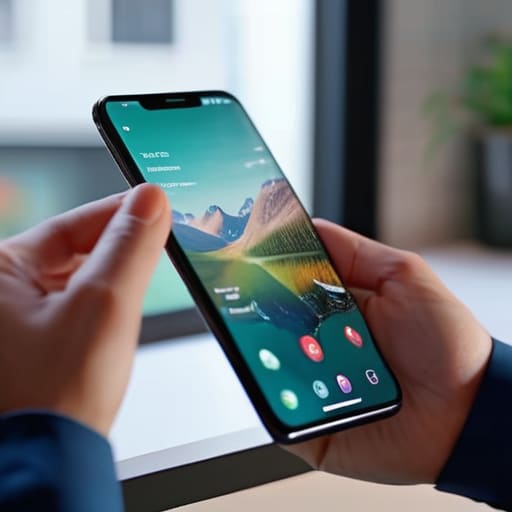
I’ve lost count of how many times I’ve seen “experts” try to sell beginners expensive, bloated software suites just to figure out how to test a page on mobile. They make it sound like you need a laboratory and a degree in computer science, but frankly, it’s all just unnecessary noise designed to pad their invoices. I remember back in ’97, we didn’t have fancy simulators; we had a monitor, a dial-up connection, and a lot of patience. Today, the industry wants you to believe that testing your site’s responsiveness is a complex, high-priced science, when in reality, most of it comes down to common sense and a bit of manual checking.
I’m not here to sell you a subscription or a “premium testing suite.” My goal is to show you that you can get this done with the tools you already have sitting in your pocket. I’ll walk you through the practical, no-nonsense ways to ensure your site looks right on a screen, from using your actual device to some simple browser tricks that actually work. We’re going to skip the fluff and focus on the only thing that matters: making sure your visitors don’t hit a broken layout the moment they open your link.
Mastering Browser Developer Tools Mobile View Quickly

You don’t need to go out and buy five different smartphones just to see if your text is overlapping. Back in my day, we had to be much more resourceful, and honestly, the best tool is already sitting right there in your browser. If you’re using Chrome or Firefox, just right-click anywhere on your page and hit “Inspect.” Once that panel pops up, look for the little icon that looks like a phone and a tablet. This opens up browser developer tools mobile view, which lets you toggle between different screen sizes instantly.
It’s a quick way to run a basic mobile user experience audit without leaving your desk. You can select specific models like an iPhone or a Pixel to see how the layout reacts. I use this to check if my buttons are actually big enough for a thumb to hit, or if my images are jumping around like they’ve lost their way. It isn’t a perfect simulation of a real device, but for a quick sanity check before you call it a day, it’s more than enough.
Simulated Mobile Environments Arent Enough

Look, I know it’s tempting to stay glued to your desktop, toggling that little device icon in your browser to see how things look. Those simulated mobile environments are fine for a quick glance, but they are essentially a lie. They mimic the screen size, sure, but they don’t mimic the actual hardware. They won’t tell you if your site feels sluggish because of a heavy script, or if a button is technically “clickable” but actually impossible to hit with a human thumb.
If you want a real mobile user experience audit, you have to get your hands dirty with actual hardware. I’ve seen plenty of sites that look pristine in a browser developer tools mobile view only to fall apart the moment they hit a real iPhone or a mid-range Android. The way a touch screen handles scrolling or how a mobile browser renders a specific font is worlds apart from a mouse click on a high-resolution monitor. Don’t let a simulation give you a false sense of security; grab your actual phone and see if the site actually behaves the way it should.
Five ways to make sure your site doesn't fall apart in a user's hand
- Test with your actual thumbs, not a mouse. A button might look fine on a screen, but if it’s too small for a human finger to hit without accidental clicks, it’s broken. I’ve seen plenty of “professional” sites that are impossible to navigate while walking down the street.
- Watch out for the “fat finger” effect on menus. Ensure there is enough breathing room between links. If I try to click ‘About Us’ and accidentally hit ‘Buy Now’ because the spacing is tight, I’m closing the tab immediately.
- Check your loading speeds on a cellular connection. Your office Wi-Fi is a lie; it makes everything look faster than it is. Turn off your Wi-Fi on your phone and see how the page behaves on 4G or a spotty signal. If it takes ten seconds to show a single image, you’ve lost them.
- Scroll, scroll, and scroll again. Don’t just look at the top of the page. Check that your images aren’t bleeding off the side of the screen and that you don’t have any weird horizontal scrolling issues. Nothing screams “amateur” like a website that wobbles left and right when you try to move down.
- Verify your forms actually work. There is nothing more frustrating than filling out a contact form on a tiny keyboard only to have the “Submit” button hide behind a pop-up or fail to trigger. Type a test message through your phone and make sure it actually lands in your inbox.
The bare essentials for a mobile check
Use the browser developer tools for a quick sanity check, but don’t mistake a simulation for reality.
Always pick up your actual phone and tap through the site yourself; if it feels clunky to your thumb, it’s broken.
Don’t let a salesperson convince you that you need expensive “optimization suites”—if it looks right on a real device, you’re good to go.
The Final Check

At the end of the day, testing your site isn’t about following a complex checklist provided by some marketing agency; it’s about common sense. You’ve used the developer tools to get the layout roughly right, and you’ve acknowledged that a computer simulation is just a polite suggestion, not a guarantee. Now, you need to actually pick up the device and see if those buttons are large enough for a human thumb to hit without frustration. It’s a simple process: use the tools for the heavy lifting, but rely on your own hands to catch the small, annoying errors that software tends to miss. Don’t overcomplicate it.
I’ve seen plenty of people spend weeks and thousands of pounds trying to “optimize” a site to perfection before they’ve even launched a single page. My advice? Don’t fall into that trap. Get your domain, find a decent host, and get your content live. Once the site is up, you can refine the mobile experience bit by bit as you go. A website is a living thing, not a static monument. Keep it simple, get it online, and remember that the goal is to be found, not to win an engineering award. Now, get back to work.
