I was sitting at my desk last night, trying to calibrate my telescope for a shot of the Andromeda Galaxy, when I stumbled upon a “premium” plugin promising to revolutionize multilingual SEO. The price tag alone was enough to make me scoff. It’s the same old story: these companies try to convince you that learning how to add a language to a site requires a subscription to a high-priced service or a specialized developer on retainer. They want you to believe it’s some complex, proprietary magic that only they can perform. In reality, it’s just a matter of mapping your content to a new set of strings, and you certainly don’t need to drain your bank account to do it.
I’m not here to sell you a shiny new dashboard or a monthly recurring fee. My approach is much more methodical: we’re going to look at the actual mechanics of the task so you can get it done and get back to your life. I’ll show you the direct way to handle translations without the unnecessary bloat or the sales pitches. By the time we’re done, you’ll have your site running in two languages and you’ll still have your afternoon entirely intact.
Automated vs Manual Translation Choosing Your Level of Effort

Now, you’ve got a choice to make: do you want to spend your weekend wrestling with syntax, or do you want a machine to do the heavy lifting? Most people I talk to want the “magic button” approach. Using automated tools is fine if you just need a rough idea of what the page says, but let’s be clear: Google isn’t easily fooled by a direct machine translation that misses the nuance of a local idiom. If you’re serious about multilingual SEO best practices, you can’t just plug in a plugin and walk away. You’ll eventually need to go back in and fix the bits that sound like a robot wrote them.
If you have the patience—and I usually do—manual translation is the only way to ensure your message actually lands. It’s more work, certainly, but it prevents that awkward feeling where a visitor realizes they’re reading a digital shrug. When looking at automated vs manual translation, I always tell people to find a middle ground. Use the tools to build the skeleton, but always give the final text a human once-over. It saves you from the headache of fixing broken meaning later on.
Website Localization Strategies That Actually Work for Real People
Look, you don’t need a massive agency to handle your website localization strategies; you just need a bit of common sense. If you’re looking to keep things clean and avoid a technical headache, I always suggest implementing subdirectories vs subdomains based on how much you actually plan to grow. Subdirectories (like yourdomain.com/es/) are generally my preference because they keep all your SEO authority under one roof. It’s tidier, and frankly, it saves you from having to manage multiple separate hosting configurations like some people do.
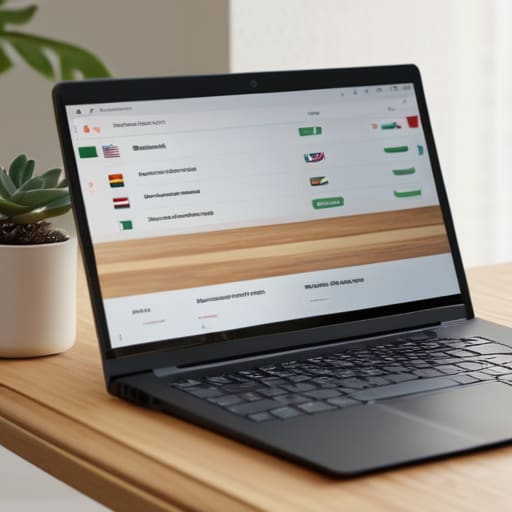
When it comes to the actual user experience, don’t overcomplicate the language switcher UX design. People shouldn’t have to hunt through a footer or a complex menu just to find their native tongue. A simple, clear dropdown or a set of flags at the top of the page is plenty. Most importantly, don’t let the “experts” talk you into expensive, bloated plugins that claim to do everything. If you can find a way to keep it lightweight and functional, you’ve already won half the battle.
Five ways to keep your site multilingual without losing your mind
- Don’t let them sell you a “multilingual enterprise suite.” If you’re just starting, a simple plugin or a basic subdirectory structure is plenty. You don’t need a massive monthly subscription just to show a bit of French to your visitors.
- Watch out for the “Auto-Translate” trap. Google Translate is fine for a quick gist, but if you leave it on autopilot, your site will end up looking like a bad joke. Always, and I mean always, give the text a quick human read-through.
- Keep your URLs clean. It’s much better for your sanity (and SEO) to have `mysite.com/es/` rather than some messy string of characters that looks like a broken line of code. It’s methodical, and it works.
- Check your buttons and menus. There is nothing more amateur than a site that switches language but leaves the “Submit” button in English. It’s a small detail, but it’s the difference between a professional setup and a half-baked one.
- Test the layout on your phone. Some languages, like German, love to use long words that stretch everything out. If your button suddenly breaks your mobile layout, you haven’t finished the job yet.
The bottom line
Don’t let them sell you a “global expansion package”; if you only need one extra language, a simple plugin or a manual page will do just fine.
Automation is great for a rough draft, but if you want people to actually trust your site, you’ll eventually need a human to check that the machine hasn’t said something ridiculous.
Keep it lean. Pick the language you actually need, set it up, and don’t spend your whole weekend chasing features you’ll never use.
Getting it over the line
At the end of the day, adding a language to your site isn’t some grand architectural feat that requires a massive budget or a team of specialists. You’ve weighed the pros and cons of automated tools against the slow but steady pace of manual translation, and you’ve figured out a strategy that doesn’t involve overcomplicating your backend. Whether you go for a quick plugin to get the job done or take the time to polish every sentence for your readers, the goal remains the same: making your content accessible without letting the technical side swallow your entire weekend. Just remember that you don’t need every language on earth to start; you just need the right ones for your audience.
I’ve seen plenty of people get stuck in “analysis paralysis,” spending months researching the perfect localization suite while their actual website sits gathering digital dust. Don’t fall into that trap. The internet is a vast, messy place, and your site is just one more light in the dark. Pick a method, implement it, and move on to something more interesting—like your actual business or a clear night for some photography. You don’t need a perfect, multi-lingual empire by sunset; you just need to get it live and keep moving forward.
