
I was sitting in my study last night, sorting through a drawer of old invoices from hosting companies that haven’t existed since the turn of the millennium, when I realized how much nonsense is still being peddled today. Most people think learning how to build a coming soon page requires a complex marketing suite, a monthly subscription to some “all-in-one” platform, or a deep dive into expensive plugins. They’ll try to tell you that you need a lead-capture engine and a high-resolution video background just to say you’re working on something. It’s a complete fabrication designed to separate you from your hard-earned money.
I’m not here to sell you a shiny new ecosystem or a dozen “essential” add-ons. My goal is to show you that you can get a professional placeholder live with nothing more than a domain, a basic host, and a single afternoon of your time. I’ll walk you through the exact, methodical steps to get your presence online without the unnecessary fluff. We’re going to keep it simple, keep it functional, and most importantly, we’re going to keep your wallet closed to the salespeople.
Website Teaser Design for the Impatient

Look, you don’t need a custom-coded masterpiece or a high-end agency to make this work. When I was setting up my first server back in ’97, we didn’t have fancy templates; we just had a goal. For a teaser, your website teaser design should be stripped back to the essentials: a headline, a brief sentence about what’s coming, and a way for people to stay in the loop. If you start overcomplicating the layout, you’re just wasting time you could be spending on the actual site.
Don’t fall for the trap of thinking you need a complex suite of tools. If you want to be smart about it, focus on one thing: collecting an email address. Simple email capture strategies—like a single box asking for a name and an address—are far more effective than a cluttered page full of distractions. You might see people obsessing over countdown timer widgets to create “urgency,” but honestly, unless you have a hard launch date set in stone, they usually just look tacky. Keep it clean, keep it functional, and move on.
Countdown Timer Widgets That Actually Work
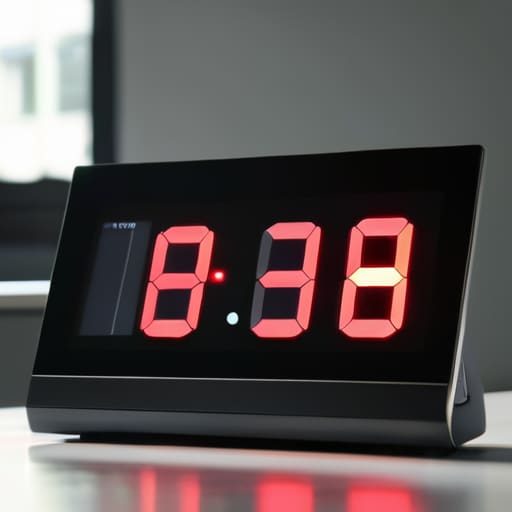
Now, if you’re going to use a countdown timer, don’t let them upsell you on some fancy, subscription-based “marketing suite” just to show a few ticking numbers. I’ve seen enough bloated plugins to last a lifetime. Most of these countdown timer widgets are just heavy code disguised as features, dragging down your load speeds for no reason. If you want to keep things lean, find a simple script or a lightweight plugin that does one thing: counts down. You don’t need a dashboard with a thousand buttons; you just need a clock that works.
The real goal here isn’t just to look busy; it’s about effective pre-launch marketing tactics. A timer without a purpose is just digital clutter. Pair that countdown with a basic field for an email address—nothing fancy, just a way to build a list so you aren’t shouting into a void on launch day. It’s a simple form of lead generation for new websites that keeps you from having to redo the work later. Keep the design clean, keep the code light, and don’t pay for the bells and whistles.
Keep it Lean: 5 Rules to Avoid the Upsell Trap
- Don’t get bogged down in fancy graphics. A single, clear headline and a way for people to contact you is plenty. If you start worrying about parallax scrolling and custom animations, you’re already spending too much time and money.
- Grab a single email field. You don’t need a complex CRM integration or a “lead magnet” popup. Just a simple box where people can drop an address so you can tell them when the real site is live.
- Stick to one call to action. If you give people five different things to click on, they’ll click on nothing. Tell them to sign up, or tell them to follow you on social media. Pick one and move on.
- Avoid the “Premium Plugin” rabbit hole. You’ll see ads for “Coming Soon Pro” versions of everything. You don’t need them. Most of what they offer is just extra weight that slows down your load time.
- Test it on your phone before you call it done. I’ve seen plenty of engineers spend all day on a desktop setup only to realize the mobile view looks like a scrambled signal. If it works on your phone, it’s ready.
The Bottom Line
Don’t let the “design experts” convince you that a coming soon page needs to be a masterpiece; a simple headline and an email box is plenty to get you through the gate.
Avoid the subscription trap by picking a host that doesn’t try to bolt on a dozen “premium” security plugins you’ll never actually use.
Once the domain is registered and the host is live, stop tinkering—your goal is to be online, not to spend your weekend chasing the perfect shade of blue.
Just Hit Publish

At the end of the day, we’ve covered the essentials: grab a decent domain, pick a host that won’t crash when you actually get traffic, and stick to a design that doesn’t try to be cleverer than it needs to be. Whether you’re using a simple countdown timer to build a bit of tension or just a clean email signup box, the goal remains the same. You aren’t trying to launch a digital empire this afternoon; you’re just staking your claim on the internet. Don’t let the “pro” tools or the expensive plugin upsells distract you from the fact that a coming soon page is simply a placeholder. It’s about being visible before you are ready, and that is more than enough for now.
I’ve seen plenty of folks get stuck in “analysis paralysis,” spending months tweaking a pixel only to never actually launch the real site. My advice? Stop tinkering. Once that page is live and the lights are on, you’ve already won half the battle. The internet is a vast, noisy place, and the best way to navigate it is to just get started and figure out the rest as you go. You don’t need a massive budget or a team of developers to own a piece of the web; you just need a little bit of patience and the courage to be imperfect. Now, go get it online.
