I was sitting in my study last night, cleaning the dust off my old telescope lenses, when I remembered the sheer amount of nonsense I’ve been fed since I built my first site back in ’97. Every time you search for how to secure a new site, you’re met with a barrage of “essential” enterprise-grade software packages and monthly subscription services that cost more than the hosting itself. It’s a racket. They want you to believe that unless you’re spending hundreds on a “security suite,” your little corner of the web is an open door. In my experience, most of that is just expensive noise designed to make you feel vulnerable so you’ll reach for your wallet.
I’m not here to sell you a subscription or a panic attack. I’ve spent decades as a systems engineer, and I’ve learned that real protection comes down to methodical, sensible steps, not shiny add-ons. I’m going to show you the bare essentials—the actual, practical ways to lock things down without getting caught in the upsell trap. We’re going to stick to the fundamentals: strong credentials, basic updates, and common sense. That’s it.
Locking the Doors With Ssl Certificate Installation
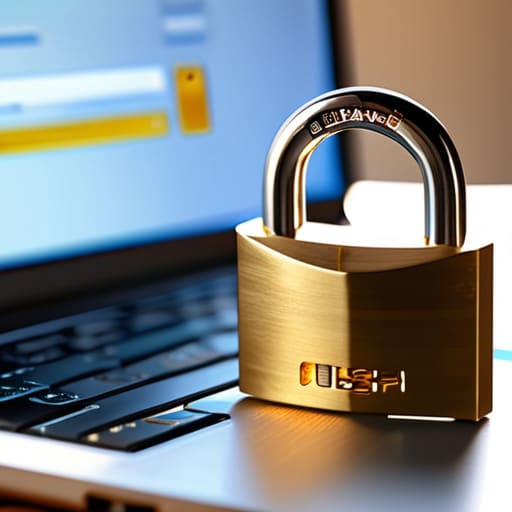
Once you’ve got your files sitting on the server, the next thing on my list is always the SSL certificate installation. Back in the day, this was a massive headache involving generating CSRs and waiting for manual approvals, but these days, most decent hosts do it with a single click. You’ll see that little padlock icon in the browser bar—that’s your signal that the connection is encrypted. Don’t let the sales reps convince you that you need some “Enterprise-grade Premium Security Suite” to get it done; a standard, free Let’s Encrypt certificate is more than enough for a starter site.
I’ve seen too many people get talked into expensive monthly subscriptions for something that should be a basic utility. If your host doesn’t offer a free way to handle your SSL certificate installation, then they aren’t providing a secure hosting environment, and you should probably look elsewhere. It’s about establishing a baseline of trust with your visitors without overcomplicating the plumbing. Just ensure it’s active, check that your links aren’t breaking because of “mixed content” errors, and move on to the next task.
The Two Factor Authentication Setup You Actually Need

Once you’ve handled your SSL certificate installation, the next thing you need to do is stop relying on just a password. I’ve seen too many people think a complex string of characters is enough, but passwords can be guessed or stolen. You don’t need some enterprise-grade, expensive security suite that promises the moon; you just need a proper two-factor authentication setup. For me, that means an authenticator app on my phone. It takes thirty seconds to link it to your login, and it effectively shuts the door on anyone trying to brute-force their way into your dashboard.
Don’t let the sales reps talk you into a monthly subscription for “identity management” software. Most of that is just fluff designed to pad their margins. If you’re using a standard CMS, there are plenty of free, reliable plugins that do exactly what they say on the tin. It’s about building a sensible perimeter around your site without paying for bells and whistles you’ll never use. Set it up, test it once, and then you can get back to actually building your site.
The bare minimums that don't require a monthly subscription
- Stick to strong, unique passwords for your hosting panel and CMS; if you’re reusing your email password for your site login, you’re asking for trouble.
- Keep your plugins and themes updated the moment the notification pops up, because those “minor updates” are usually just fixing holes people have already found.
- Set up automated backups to a separate location—not just on your host’s server—because if the server goes down or gets hit, you want your own copy ready to go.
- Turn off any features or plugins you aren’t actually using; every extra bit of code is just another potential door left unlocked.
- Use a basic web application firewall if your host offers a simple version, but don’t let them talk you into a “premium enterprise security suite” that costs more than your hosting.
The bottom line
You don’t need a security suite that costs more than your monthly hosting; an SSL and decent passwords cover 90% of the nonsense.
If a provider tries to sell you “advanced threat protection” before you’ve even uploaded a single image, keep your wallet closed.
Security is a habit of checking your settings once in a while, not a magic button you pay a monthly subscription for.
The Bottom Line
Look, we’ve covered the essentials: get your SSL certificate sorted so the padlock shows up, and set up your two-factor authentication so a stolen password doesn’t mean a stolen site. It isn’t about buying a gold-plated security suite or paying a monthly subscription for “threat detection” that mostly just sends you spammy notifications. It’s about closing the obvious gaps that every amateur leaves wide open. Once you’ve locked the doors and secured your login, you’ve done more than 90% of the people currently drifting aimlessly through the web. You don’t need a massive budget; you just need to stop being an easy target.
At the end of the day, a website is just a tool, not a high-stakes fortress. My advice is to get the basics right, keep your software updated, and then get on with the actual work of running your business or sharing your hobby. Don’t let the fear of “what if” or the sales pitches from hosting companies paralyze you into overspending. I’ve been building sites since the days of dial-up, and the most successful ones aren’t the most expensive—they are the ones that are functional, stable, and sensible. Grab your domain, secure your access, and go build something.
