
I was sitting in my garden last night, trying to capture a particularly faint nebula, when I realized my data security was about as reliable as a cheap plastic lens. It hit me that most people think “backing up” means clicking a shiny button on their hosting dashboard and calling it a day. That’s a lie. If your only copy of your website lives on the same server where your site actually runs, you haven’t built a safety net; you’ve just built a single point of failure. You need to understand how to keep an independent backup that exists entirely outside of your provider’s ecosystem, because when their server goes dark—or worse, when they decide to hike your prices—you don’t want to be left empty-handed.
I’m not here to sell you a monthly subscription to some bloated “enterprise-grade” cloud recovery service that nobody actually needs. I’ve been building sites since the days of dial-up, and I’ve learned that the best systems are usually the simplest ones. I’m going to show you exactly how to grab your files, move them to a place you actually control, and set it once so you can get back to your life. No fluff, no upselling, just the facts.
Avoiding Cloud Provider Lock in Before Its Too Late

The problem with most modern “solutions” is that they aren’t actually solutions; they’re just digital leases. You pay a monthly fee to keep your files on someone else’s computer, and the moment you stop paying, or they decide to change their terms of service, your data vanishes. I’ve seen it happen more times than I care to count. If you want real redundancy and data sovereignty, you have to stop thinking in terms of subscriptions and start thinking in terms of ownership.
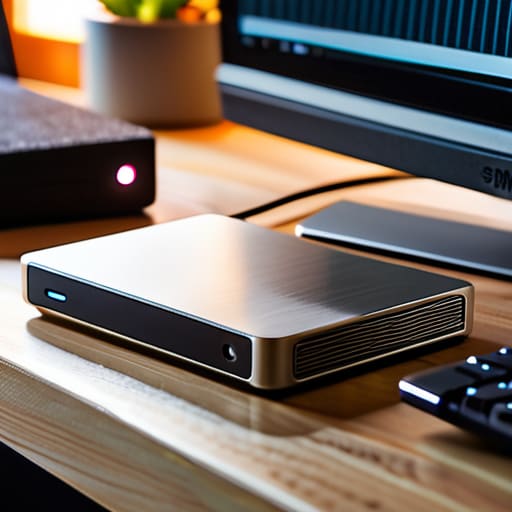
The trap is subtle. They make it so easy to click “Accept” that you don’t realize you’re building a house on rented land. To truly succeed at avoiding cloud provider lock-in, you need to ensure your files are stored in formats and locations that don’t require a specific company’s permission to access. I’ve always preferred keeping a bit of self-hosted backup hardware—a simple, reliable external drive or a small NAS—tucked away in a drawer. It’s not flashy, and it won’t win any awards for innovation, but it doesn’t require a login or a monthly credit card charge to work.
Decentralized Data Storage Solutions for the Restless

Now, if you’re feeling particularly twitchy about a single company holding the keys to your digital life, you might start looking into decentralized data storage solutions. I’ve seen enough “unbreakable” platforms crumble or change their terms overnight to know that relying on one central server is a gamble I’m not willing to take. These distributed systems spread your bits and bytes across a network, meaning no single entity can decide to turn off your access just because they’ve updated their privacy policy or hiked their prices.
For those of us who prefer a more tactile approach, nothing beats the reliability of self-hosted backup hardware. I keep a small, dedicated NAS unit in my office—it’s not flashy, but it doesn’t require a monthly subscription to function. By combining these physical drives with a few automated scripts, you achieve a level of redundancy and data sovereignty that no big-tech marketing department can replicate. It’s about owning your files, not just renting them. Once you’ve set the routine, you can get back to your actual life and leave the digital gatekeeping to the amateurs.
My No-Nonsense Checklist for Not Losing Everything
- Get your files off their servers and onto your own hardware. A USB drive or an external SSD sitting on your desk is worth more than any “premium cloud tier” when a provider decides to change their terms or go bust.
- Follow the 3-2-1 rule, but keep it simple. Three copies of your data, two different types of media, and one stored somewhere that isn’t your house. I don’t care if it’s an old laptop at your kid’s place; just make sure it’s not in the same room as your main machine.
- Test your restores before you actually need them. There is nothing quite as gut-wrenching as realizing your “backup” is just a folder full of corrupted files. Once a month, try to open a few files from your backup just to be sure.
- Automate the boring stuff, but don’t trust it blindly. Set up a script or a simple tool to run your backups, but don’t just set it and forget it. If you don’t check the logs, you’re just kidding yourself.
- Keep your database and your files separate. If you’re running a site, your images and your SQL dumps are two different beasts. Back them up as distinct entities so if one part of the process fails, you haven’t lost the whole lot.
The Bare Essentials for Staying in Control
Don’t fall for the “one-click backup” trap; if you can’t download your entire site to a physical hard drive in your desk drawer, you don’t actually own your data.
Keep your domain and your hosting separate—if one company decides to hike their prices or go bust, you want to be able to pack up and leave without a fight.
A simple, automated export to a secondary location is worth more than any fancy, expensive enterprise-grade “redundancy” suite they try to sell you.
The Bottom Line
At the end of the day, keeping your data independent isn’t about being a paranoid tech wizard; it’s just about common sense. You’ve looked at avoiding the trap of provider lock-in, and you’ve seen that decentralized options exist if you actually bother to look for them. The goal is simple: don’t let your entire digital life reside in a single, proprietary black box that can vanish or hike its prices the moment you stop paying. Grab your files, store them in a way you actually control, and stop treating your host like a digital vault. A real backup is something you can touch, move, or restore without asking a customer service rep for permission.
I’ve seen enough hosting companies go belly-up over the last twenty-five years to know that nothing is permanent except the need for a good contingency plan. Setting this up might take a bit more effort than clicking “enable auto-backup” on a dashboard, but that extra hour of work is what buys you peace of mind. Once you’ve got your routine sorted, you can get back to the things that actually matter—whether that’s updating your site or finally getting a clear shot of the Orion Nebula. Get it done, get it right, and then get on with your afternoon.
