I was sitting in my workshop last Tuesday, cleaning the sensor on my telescope, when I realized how much the “experts” online treat SEO like some mystical, expensive ritual. They’ll try to sell you a monthly subscription to a dashboard that costs more than my first car, all just to figure out how to find pages losing traffic. It’s a classic hustle. They want you to believe that spotting a dip in your numbers requires a PhD in data science or a massive enterprise budget, when in reality, it’s usually just a simple matter of looking at the right numbers before the sun goes down.
I’m not here to sell you a shiny new tool or a complicated certification. I’ve been building and rebuilding sites since the days of dial-up, and I’ve learned that you don’t need a mountain of jargon to see where the holes are. I’m going to show you exactly how to spot those bleeding pages using the basic tools you already have. No fluff, no upselling, and no wasted afternoons—just a methodical way to find the leak and plug it.
The Google Search Console Traffic Drop Analysis

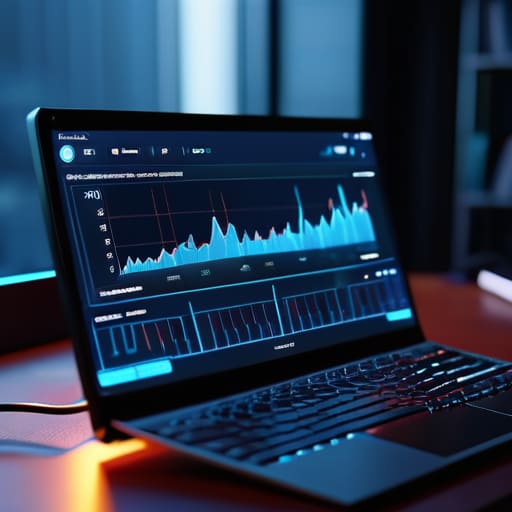
Now, don’t let the fancy dashboards intimidate you. If you want to get serious about a Google Search Console traffic drop analysis, you don’t need a consultant charging you by the hour; you just need to know which buttons to click. I usually head straight to the Performance report and set my date comparison to look at the last three months against the previous three. It’s the quickest way to see if you’re dealing with a sudden crash or a slow, agonizing slide.
Once you’ve got those dates lined up, look specifically at the “Clicks” and “Impressions” columns. If your impressions are steady but your clicks are tanking, you’ve likely got a problem with your titles or snippets. However, if both are dipping, you’re likely identifying declining organic search visibility caused by something deeper, like a technical error or a competitor moving in on your turf. I’ve spent many an evening staring at these graphs while waiting for my telescope to cool down, and the pattern is always the same: the data is there, you just have to stop squinting and actually look at the specific queries that used to bring people in.
Content Decay Identification Spotting the Rot
Once you’ve finished your Google Search Console traffic drop analysis, you’ll likely see the broad strokes of the problem. But if you want to get surgical, you have to look for content decay. It isn’t usually a sudden crash like a server going offline; it’s more like a slow leak in a hydraulic system. You’ll notice certain pages that used to pull in steady visitors simply starting to drift downward. This isn’t a sign that the site is broken, but rather that the information is getting stale.
I’ve found that identifying declining organic search visibility requires a bit of patience. You need to look for those specific posts where the rankings haven’t vanished, but they’ve slipped from page one to page two. That’s the rot setting in. It’s often just a matter of a competitor publishing something fresher or Google deciding your data is a few years out of date. Instead of panicking and hiring an expensive agency for a full SEO audit for traffic loss, just look at your top-performing pages from last year. If they aren’t performing today, they need a bit of a tune-up to get back in the race.
Five ways to find the leak before the boat sinks
- Compare your last thirty days against the same period last year. Don’t look at the monthly averages; they smooth out the truth. You need to see if a specific page’s performance has cratered compared to its own history, not just the site average.
- Check your “Search Queries” in Console for your top pages. If a high-volume keyword that used to drive traffic to a page has suddenly vanished or dropped in rank, you haven’t lost the page—you’ve lost the relevance.
- Look for the “cannibalization” effect. Sometimes traffic drops on Page A because you accidentally published Page B, and now Google is confused about which one to show. It’s not a loss of interest; it’s a self-inflicted wound.
- Audit your technical health on those specific URLs. I’ve seen plenty of “traffic drops” that were actually just a broken redirect or a heavy image file that finally pushed the load time past the point of no return.
- Watch your click-through rate (CTR) alongside your impressions. If impressions are steady but clicks are tanking, your content is still being seen, but your title or snippet has become stale and unappealing. You don’t need a new page; you just need a better headline.
The Bottom Line
Don’t let the fancy dashboards distract you; if the numbers in Search Console are trending down, the problem is real, not a glitch.
Treat your old content like old hardware—if it’s stopped performing, it’s either time for a quick repair or it’s time to scrap it.
You don’t need a monthly subscription to an “AI optimization suite” to fix this; you just need to spot the drop and put in an afternoon of work.
Cutting Through the Noise

At the end of the day, finding those bleeding pages isn’t about mastering some complex, expensive algorithm or hiring a consultant to tell you what you already know. You’ve looked at the Search Console data, you’ve identified where the content has started to rot, and you’ve spotted the decay. It really boils down to a simple bit of digital housekeeping. You don’t need a monthly subscription to a high-end analytics suite to see that a page is losing its grip; you just need to be methodical about checking your numbers once in a while. Don’t let the complexity of the industry distract you from the basic reality: if the traffic is dropping, the content is likely outdated or no longer serving the user’s intent.
My advice? Don’t overthink it and certainly don’t let anyone sell you a “recovery package” to fix what a few hours of solid work can solve. Pick your three worst-performing pages, refresh them with actual substance, and move on with your afternoon. A website isn’t a living creature that needs constant, expensive pampering; it’s a tool that needs regular maintenance to stay sharp. Keep your eyes on the data, ignore the upselling, and just get the job done. Once you’ve patched the leaks, you can get back to more interesting things, like watching the stars.
